

September 3, 2024
Tips for Adding Movement to the Radiology Workday
Josh Patrick
READ NOW

May 15, 2026
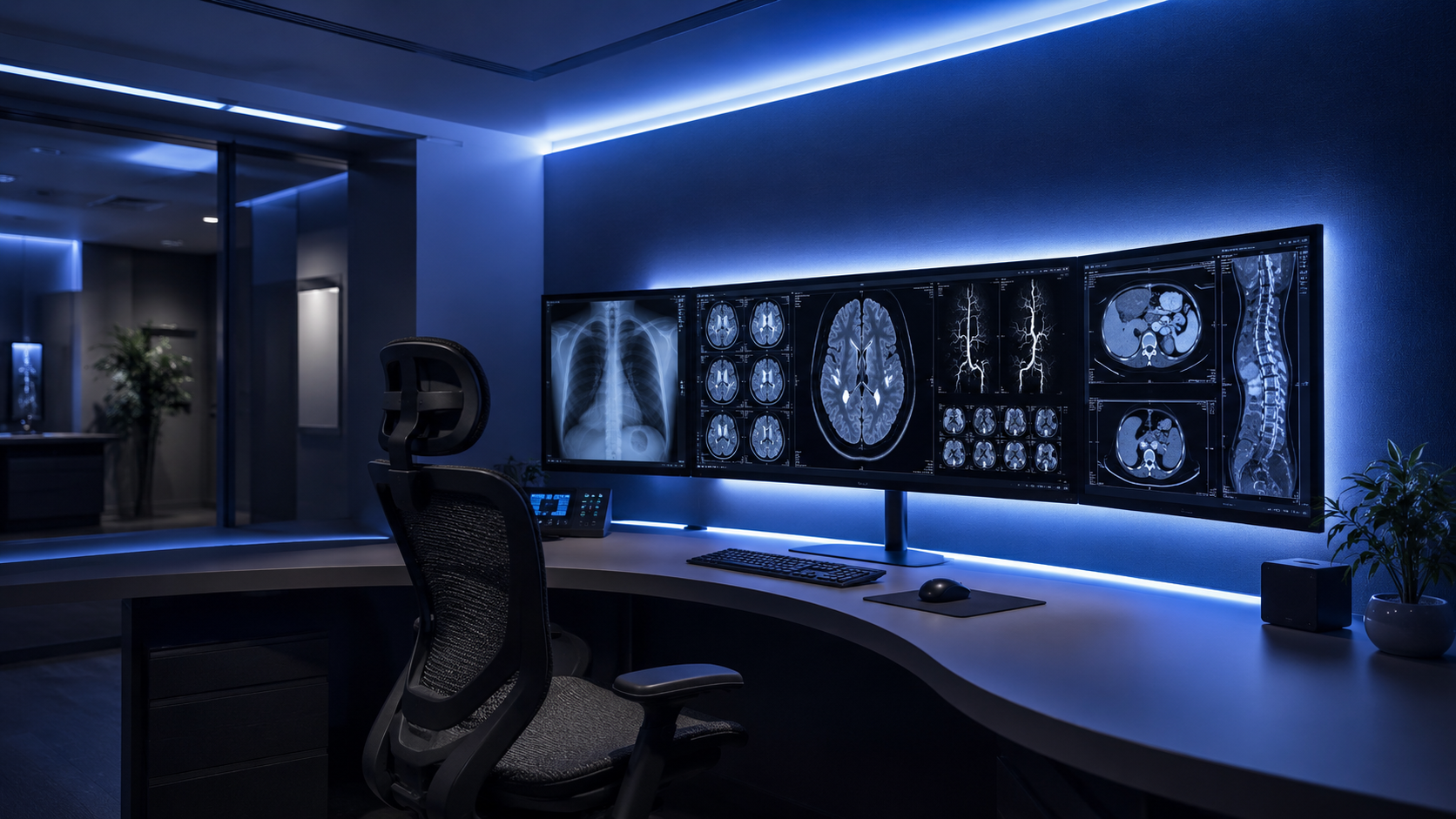
In a reading environment, the monitor is only part of the visual equation. The room around it matters too.
Radiologists and other imaging professionals spend long periods moving their attention between bright displays, keyboards, paperwork, and the surrounding space. When the environment is too dark, too bright, or poorly balanced, that constant visual adjustment can contribute to fatigue over the course of the day. That is why ambient lighting deserves more attention in reading room design.
Ambient lighting is often discussed in extremes. Some spaces are kept very dark in an effort to protect image contrast. Others are lit more like a standard office, which can create its own problems.
In practice, the issue is not just how much light is in the room. It is how well that light is controlled.
If bright monitors are surrounded by overly dark conditions, the eyes have to keep adapting as attention shifts away from the screen and back again. If the room is too bright, reflections, glare, and reduced perceived contrast can become distractions. A well-designed reading environment aims for balance: enough ambient light to support comfort and orientation, without compromising the visual task.
Long reading sessions place sustained demands on visual focus. Even small environmental issues become more noticeable over time.
Well-managed ambient lighting can help by:
This is especially important in shared workstations, where multiple users may work at the same station over the course of a shift. Lighting that is dimmable and easy to adjust is more likely to support real-world use than a fixed solution.
A strong ambient lighting strategy should support the reading task without drawing attention to itself.
That usually means focusing on a few practical goals:
Balanced peripheral illumination
The area around the displays should not feel dramatically darker or brighter than the monitors themselves.
Dimmability
Lighting should be adjustable so users can fine-tune the environment to suit the task, the room, and their own preferences.
Glare control
Lighting should be positioned and managed to avoid reflections on displays or unnecessary brightness in the field of view.
Consistency across the workstation
In multi-monitor setups, lighting should support the entire visual environment rather than one isolated part of the station.
When these elements are handled well, ambient lighting becomes part of a more complete ergonomic strategy rather than an afterthought.
Blue ambient light has been discussed in workstation design for years, and there are understandable reasons for that. Blue wavelengths play a role in the body’s circadian system, which is part of why blue-toned light continues to be a topic of interest in workplace lighting.
That said, it is important to frame the topic carefully.
The stronger ergonomic case is not that blue light, by itself, is the answer to eye strain. The better-supported position is that the overall lighting environment matters: brightness balance, glare control, peripheral illumination, and adjustability.
So while blue ambient light may be a valid option in some settings, it should be viewed as one design choice within a broader lighting strategy, not the entire strategy.
In demanding reading environments, lighting should work with the workstation, not around it.
That is where integrated ambient lighting becomes valuable. When lighting is built into the workstation design, it can be positioned more intentionally, adjusted more easily, and aligned with the rest of the ergonomic setup.
RedRick’s integrated workstation ambient lighting is built into the ComfortView™ monitor mounting system and is designed to provide balanced illumination between the monitor array and the surrounding peripheral visual field. The system is dimmable and available in either white or blue, allowing teams to select the option that best fits their environment and preferences.
This kind of flexibility matters. The best workstation designs are not based on forcing every user into the same fixed setup. They are built to support comfort, consistency, and intuitive adjustment in real working conditions.
A reading room performs best when its components work together.
Monitor placement, focal distance, ergonomics, cable management, seating, and ambient lighting all affect how the space feels over the course of a long day. If one of those elements is ignored, the strain often shows up somewhere else.
That is why ambient lighting should not be treated as a decorative add-on. It is part of creating a reading environment that helps users stay comfortable, focused, and effective.
The best reading rooms are not simply dark. They are deliberate.
Good ambient lighting helps create a more balanced visual environment, reduces unnecessary visual strain, and supports better day-to-day usability. For organizations designing or upgrading reading spaces, that makes lighting a practical performance decision, not just an aesthetic one.
And when lighting is integrated into a workstation system designed around real ergonomic use, it becomes easier to create a space that works as well as it looks.
2025 © RedRick Technologies.
All Rights Reserved.
Web design & developed by Duco Media & Kick Ass Digital Media


